The 6 Best Flatbed Scanners
Updated by · How we research

Six flatbed scanners for photos, papers, film and tabloid art, compared on sensor type, glass size and feeder options; the Epson Perfection V39 II leads. When users buy our independently chosen editorial selections, we may earn commissions to help fund the Wiki.
A cheap flatbed's huge resolution number barely matters, since a snapshot scanned at 600 dpi already holds everything the photo paper does. Film is the real dividing line, because negatives and slides need a light in the lid. This list is for anyone saving family prints, books, art or paperwork, from a slim desk scanner to a film machine.


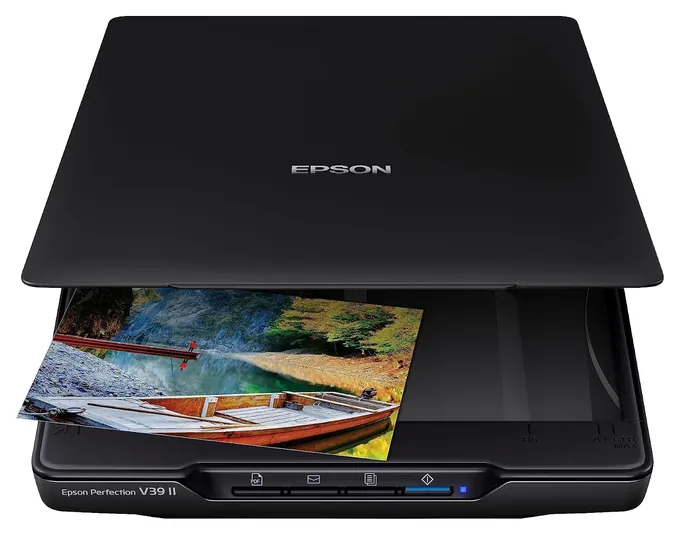
From the manual
- It runs off the USB cable alone; Epson says plug it straight into the computer, since it may not work properly through a hub. pp. 57, 73
- For a thick book, lift the cover straight off at the hinges, then press the pages down gently by hand while it scans. p. 23
- Advanced Stitching finds the overlap between passes itself, but caps the long edge at 25,000 pixels and won't work on charts or monotone images. p. 34
- Don't leave photos on the glass for long, or they can stick. Standing upright, it can't take large or thick originals. pp. 16, 19
Why the Epson Perfection V39 II is our top pick
Our pick beats our runner-up, the Canon CanoScan LiDE 400, on the awkward jobs, thick albums and small print; otherwise the two are near twins, with the same slim contact sensor, 4,800-dpi optics, letter-size glass and one USB cable for power and data.1,2 The V39 II's cover lifts straight off for a fat album or book,1 while the LiDE's double-hinged lid is rated for items up to 21 mm thick.3 Our pick's kickstand is built in,1 where the Canon hooks onto a separate stand and can tip over if its cover opens wide.2
Text is the other gap. Testing for PCMag in September 2023, David English, a contributor who covers printers and scanners, found that the V39 II's own software read 6-point Arial and Times New Roman without a mistake, while the Canon models matched that only when he bypassed Canon's software.4 PCMag's earlier LiDE 400 review had Canon's utility clean on Times New Roman only down to 10 points.5 PCMag also names the V39 II its best flatbed photo scanner.6
The runner-up still has its points: a USB-C plug and a second PDF button for multipage files.2,3 If your laptop has only USB-C ports, it's the easier fit.
| Epson Perfection V39 II | Canon CanoScan LiDE 400 | |
|---|---|---|
| Lid for thick books | Comes off entirely | Double hinge, to 21 mm |
| Upright use | Built-in kickstand | Hook-on stand |
| Smallest clean OCR text, maker's software | 6 pt, both test fonts | 6 pt Arial, 10 pt Times |
| Computer plug | Micro-USB | USB-C |
| Weight | 3.1 lb | 3.6 lb |
Sources
- Epson Perfection V39 II 1V19 II/V39 II user's guide (PDF), pp. 11, 23, 72–73
- Canon CanoScan LiDE 400 2Online manual, pp. SU112, SU104, SU107, SU104, SU112 3UK product page
- PCMag 4Epson Perfection V39 II review, David English (2023) 5Canon CanoScan LiDE 400 review 6The Best Scanners (October 2026)
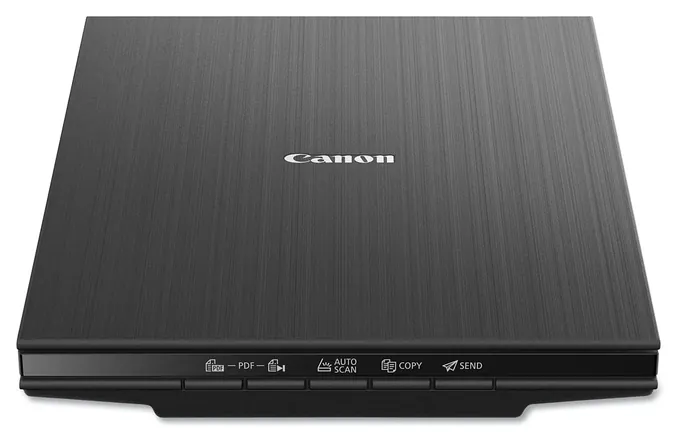
From the manual
- No power switch or adapter: it turns on with the computer. Canon says to use the supplied cable in a USB 3.0 or faster port. p. SU104
- On its stand, opening the cover wide can tip it over, and it may not detect the item type, so pick photo or document yourself. p. SU107
- Don't press on the glass with about 4.4 pounds or more; Canon says it can break, so go easy on thick books. p. SU106
- Full 48-bit color output works only through Canon's Windows TWAIN driver; Mac scans come out at 24-bit. p. SU112
Compare the specs
Swipe the table sideways to see every column.
| Product | Sensor | Optical resolution (dpi) | Largest original (inches) | Power | Weight (lb) |
|---|---|---|---|---|---|
| 1. Epson Perfection V39 II | CIS | 4,800 | 8.5 x 11.7 | USB cable | 3.1 |
| 2. Canon CanoScan LiDE 400 | CIS | 4,800 | 8.5 x 11.7 | USB-C cable | 3.6 |
| 3. Canon CanoScan LiDE 300 | CIS | 2,400 | 8.5 x 11.7 | USB cable | 3.6 |
| 4. Epson Perfection V850 Pro | CCD with two lenses | 4,800; 6,400 for film | 8.5 x 11.7; film 8 x 10 | Wall adapter | 14.5 |
| 5. Plustek OS1180 | CIS | 1,200 | 11.7 x 17 | Wall adapter | 9.5 |
| 6. Xerox Duplex Combo | CIS, one each side | 600 | 8.5 x 11.7; feeder 8.5 x 14 | Wall adapter | 5.9 |
Values come from each maker's manual or spec page. Largest original is the glass, plus film for the V850 Pro and the feeder for the Xerox; Xerox's user guide rates that feeder at 35 sheets and its spec sheet at 50.
Sources
- Epson Perfection V39 II V19 II/V39 II user's guide (PDF)
- Canon CanoScan LiDE 400 Online manual, specifications
- Canon CanoScan LiDE 300 Online manual, specifications
- Epson Perfection V850 Pro V800/V850 Pro user's guide (PDF) Product page
- Plustek OpticSlim 1180 Specifications User's guide (PDF)
- Xerox Duplex Combo User guide (PDF) Datasheet (PDF)
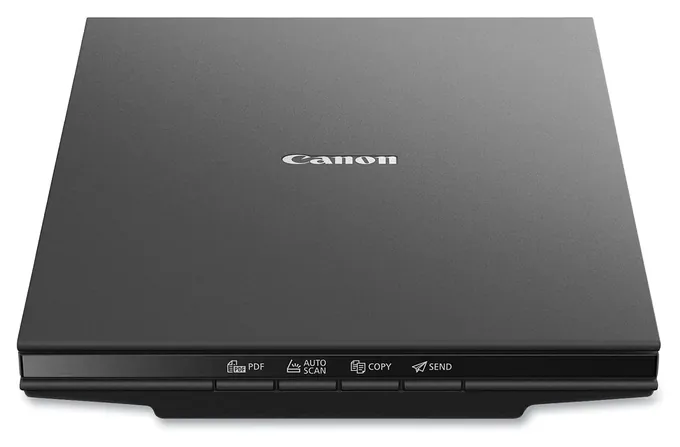
From the manual
- Slide the scanner lock switch to unlock the scan head before the first scan; Wirecutter notes the Mac software gives no warning if it's locked. p. SU104; Wirecutter
- It connects with a Mini-B USB cable, not USB-C, and Canon still recommends a USB 3.0 or faster port. p. SU112
- Prints scan together if each sits about 0.4 inch from the edges and each other; tilts up to about 10 degrees get straightened. p. SU108
- Clean with a soft dry cloth or a well-wrung damp one; alcohol, thinner and benzene can deform or discolor the case. p. SU109
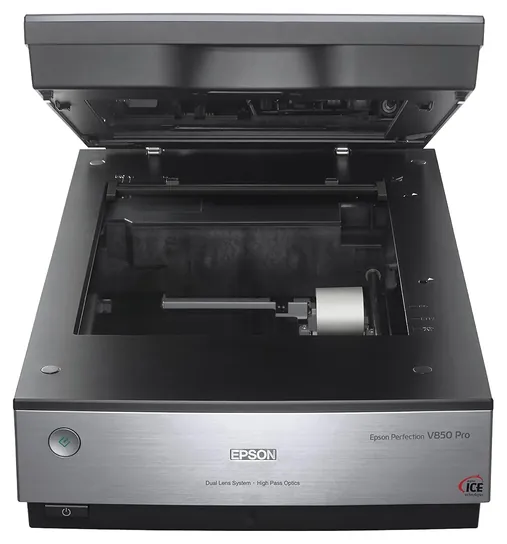
From the manual
- Film up to 8 by 10 inches goes in the film area guide, but Digital ICE dust removal can't be used that way. p. 30
- Digital ICE skips Kodachrome and traditional black-and-white film, slows scans and can soften images; Epson says don't use it on clean film. pp. 71-73
- Two shipping locks, one on the back and one for the lid's film light, must be unlocked; a flashing red light can mean one isn't. pp. 9-10, 85
- The optional fluid mount takes film up to 5 by 9 inches; the mounting fluid isn't included and is highly flammable. p. 34
From the manual
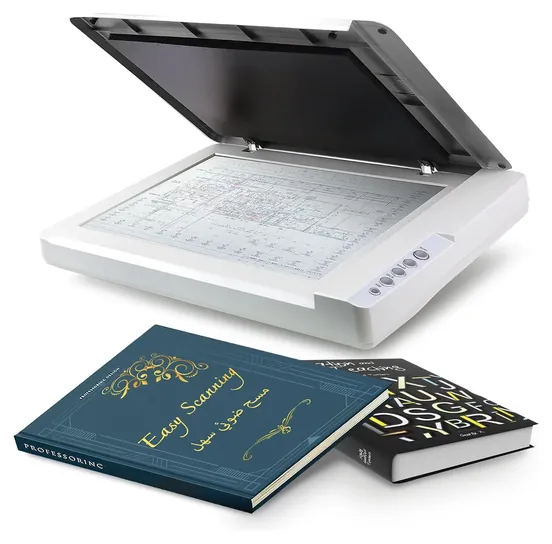
- Use only the supplied AC adapter and USB cable; Plustek says others can cause malfunctions. p. 6
- Clean the glass with 95% isopropyl alcohol or glass cleaner on a lint-free cloth, never water, with the scanner off and unplugged. p. 23
- The OCR button is for text pages only; Plustek says not to scan photos with it. p. 21
- Opening the case voids the warranty, and the glass is fragile, so don't bump or knock it. p. 7
From the manual
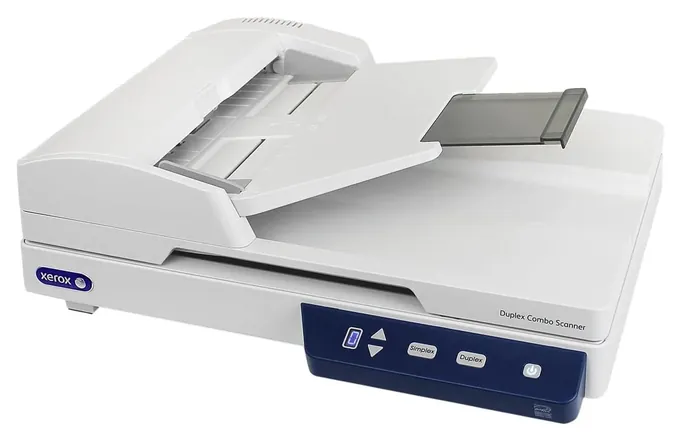
- Pull staples, clips and sticky notes first: Xerox calls feeding them misuse that voids the warranty. p. 5-1
- Pages left in the feeder get scanned instead of the page on the glass, so empty the feeder before using the flatbed. p. 5-3
- The feeder pad is rated for up to 30,000 pages; feeding trouble means it's wearing thin, and a spare ships in the box. pp. 6-10, 6-11
- Calibrate monthly, or more often with daily use, and only with the calibration sheet that came in the box. p. 6-8
Editor's Notes
November 5, 2026, by Ezvid Wiki Editors:
We read the makers' manuals for all six scanners and added a spec table, notes from each manual and a section on why the V39 II leads. We corrected the guide's claim that the V850 Pro's dust removal works only on color film, rewrote book-scanning advice that conflicted with Epson's and Canon's manuals, and replaced owner-complaint lines we couldn't confirm, including the Xerox feeder's, with what the manuals say. The methodology now notes that PCMag did lab-test the Xerox Duplex Combo.
October 23, 2026, by Ezvid Wiki Editors:
The Epson Perfection V39 II now leads, because it covers prints, books and papers on USB power alone, and its lid comes off for thick albums. It replaces the original V39. The Canon CanoScan LiDE 300 joins as a low-cost choice that handles fragile keepsakes well.
Epson has discontinued the V600 and the 12000XL, so both are gone. The HP ScanJet Pro 2500 F1 is a 2015 model that's no longer made, and the HP Scanjet Enterprise Flow N9120 is a big sheet-fed office machine that doesn't belong on a flatbed list. We also corrected the Plustek OS1180's name, which had a typo.
For this update we read Epson, Canon, Plustek and Xerox spec sheets, PCMag's reviews of the V39, LiDE 400 and V850 Pro, the federal recall database for every brand here, and owner complaints about drivers and paper feeders. If your job is a shoebox of loose prints, read the first guide section before you buy any flatbed.
Earlier notes
December 3, 2020:
While our list was previously dominated by more text document-friendly scanners, we added a few models from what is widely considered the foremost name in photo scanning and printing: the Epson Perfection V850 Pro, Epson Perfection V600 and Epson Perfection V39. Epson offers a range of price points, represented here, without compromising its vetted quality and performance, though for whatever reason, only their most expensive consumer model was previously included in our ranking.
We opted to remove the HP Digital Sender Flow 8500, as it felt a bit redundant with the HP Scanjet Enterprise Flow N9120, which offers superior overall performance in a comparable price range. Additionally, we included an HP model at a more wallet-friendly price point that still offers solid performance, particularly with document scans.
December 20, 2019, by Daniel Imperiale:
Looking over the available flatbeds on the market, we made the executive decision not to include any all-in-one printers on this iteration of the list as we have in years past. The main reasons for this are that we already have a comprehensive list covering all-in-ones and that we feel anyone searching specifically for a flatbed is likely a photographer, artist, or archivist who wouldn't be able to do much with the inferior resolving power of the scanners often built into printers, especially when it comes to rendering colors accurately.
We also found that dedicated flatbeds often offered higher duty cycles than the average all-in-one printer, which is especially important for business use. The HP Scanjet Enterprise Flow N9120, for example, can plow through up to 20,000 pages per day in its ADF, and then turn right around and render some of the finest archival work for pictures and paintings on the market. You'll also notice we upgraded the previous Canon Lide offering to the Canon Lide 400, which is almost identical to the 300, but has a little bit more speed and offers USB Type-C connectivity.
Special Honors
Epson DS-1760WN PCMag names the [Epson DS-1760WN](https://www.pcmag.com/picks/the-best-scanners) its best combination flatbed and sheet-fed scanner. It adds wired and wireless network scanning, so a small office can share it without a computer tied to it. It costs more than twice as much as the Xerox Duplex Combo, so it suits busy shared desks rather than home use. epson.com
Start With What You're Scanning
One honest warning: a flatbed is slow for a shoebox of loose prints, since you place each one by hand.
Prints, letters, receipts and the odd book page are the everyday flatbed jobs, and a slim model with a contact image sensor handles them well. PCMag's scanner roundup names the Epson V39 II its top flatbed for photos, and its LiDE 400 review praises Canon's color and bundled software. Neither can scan film. For negatives and slides you need a scanner with a light in the lid and film holders, such as the Epson V850 Pro, which takes film up to 8 by 10 inches. Film-capable flatbeds are now a costly niche: Wirecutter's cheap-scanner guide, edited by Ben Keough, a supervising editor who has covered cameras, printers and scanners for more than a decade, no longer recommends one, saying the film models left cost too much for the average user.
Size matters next. A letter or A4 bed covers most paperwork, but maps, architectural drawings and art prints need a tabloid or A3 bed, about twice the area. If you scan stacks of paper every week, a flatbed with a document feeder on top saves hours, and the glass stays free for IDs and torn pages.
One honest warning: a flatbed is slow for a shoebox of loose prints, since you place each one by hand. A sheet-fed photo scanner such as Epson's FastFoto pulls prints through rollers as fast as one a second at 300 dpi, per Epson. Keep the flatbed for anything fragile, curled, framed or bound.
CIS, CCD And The Resolution Myth
Most low-cost flatbeds use a contact image sensor (CIS): a thin bar of LEDs and sensors that sits right under the glass. It keeps the scanner slim, light and powered by USB, but its depth of focus is shallow. Anything that lifts off the glass, like a book's gutter or a curled print, goes soft. Pro models use a charge-coupled device (CCD) with real lenses, which keeps raised originals and film sharper.
Don't buy on dots per inch. A 4-by-6 print scanned at 600 dpi already comes out at 2,400 by 3,600 pixels, more detail than the photo paper holds, and 300 dpi is plenty for documents. High resolution earns its keep only for film and big enlargements. Epson's rule is to raise the resolution by as much as you'll enlarge the image, so a 35 mm frame, about an inch and a half long, needs roughly 2,500 dpi to print at 8 by 12 inches. Canon's LiDE 400 specifications list 4,800 dpi, which few people ever use on prints.
For film, density range matters more. Epson rates the discontinued Perfection V600 at 3.4 Dmax and the V850 Pro at 4.0, and the higher number pulls more detail from dark slides and dense negatives.
Care, Settings And Safety
Wipe the glass with a soft, dry cloth, and for a stubborn smudge put a little glass cleaner on the cloth, never on the glass. Epson and Canon both rule out alcohol and thinners on their slim models, while Plustek's guide calls for isopropyl alcohol on the OS1180, so check your own manual first. For books, open them only as far as the spine allows and press down gently by hand or with the cover; Canon warns that heavy pressure can crack the glass.
Save archive copies as TIFF files and share JPEG copies. Scan prints at 600 dpi, or at 1,200 if you plan to enlarge them, and documents at 300. The V850 Pro's infrared dust and scratch removal works on color film and, Epson says, on prints, but it skips Kodachrome slides and traditional black-and-white film, and it can soften a clean scan, so save it for dusty originals.
USB-powered scanners like the V39 II and the Canon LiDE models draw power from the computer and need no wall adapter. In 2020 Epson recalled about 314,000 power adapters sold with older Perfection scanners, including the V30, V33, V37, V300, V330 and V370, because they could overheat. None of the scanners on this list is covered, but if you own one of those older models, check the CPSC recall notice.
How we researched this
We compared 15 flatbed, film, feeder and photo scanners and read the documents for all six picks: Epson's Perfection V19 II/V39 II and V800/V850 Pro user's guides, Canon's online manuals for the CanoScan LiDE 300 and LiDE 400, Plustek's OpticSlim 1180 user's guide and spec page, and Xerox's Duplex Combo user guide and spec sheet. PCMag's lab reviews of the V39 II, LiDE 400, V850 Pro and Duplex Combo, and Wirecutter's cheap-scanner guide, were the outside sources that mattered; we found no lab review of the Plustek. Searches of the CPSC and Health Canada recall lists on November 5, 2026 turned up one related recall, Epson's 2020 recall of power adapters for older Perfection models, which covers none of these six.
Sources (21)
- Epson: Perfection V19 II/V39 II user's guide (PDF)
- Epson: Perfection V39 II
- Epson: Perfection V850 Pro
- Epson: Perfection V800/V850 Pro user's guide (PDF)
- Epson Europe: Perfection V600 Photo specifications
- Epson: Expression 12000XL
- Canon: CanoScan LiDE 400 online manual
- Canon UK: CanoScan LiDE 400 specifications
- Canon: CanoScan LiDE 300 online manual
- Plustek: OpticSlim 1180
- Plustek: OpticSlim user's guide for the 1180 (PDF)
- Xerox: Duplex Combo Scanner user guide (PDF)
- Xerox: Duplex Combo Scanner datasheet (PDF)
- PCMag: The Best Scanners
- PCMag: Epson Perfection V39 II review (2023)
- PCMag: Canon CanoScan LiDE 400 review
- PCMag: Epson Perfection V850 Pro review (2015)
- PCMag: Xerox Duplex Combo Scanner review
- Wirecutter: The Best Cheap Scanner
- CPSC: Epson recalls power adapters sold with Epson scanners (2020)
- Health Canada: Epson Perfection scanner adapter recall
Frequently asked questions
Is a flatbed or a sheet-fed scanner better for old photos?
A flatbed is safer for fragile, curled, torn or mounted prints, because nothing pulls them through rollers. A sheet-fed photo scanner like Epson's FastFoto is much faster for a large box of sturdy loose prints.
Can a cheap flatbed scan negatives or slides?
No. Scanners like the Epson Perfection V39 II and the Canon LiDE models have no light in the lid, so they can't scan film. You need a film-capable model such as the Epson Perfection V850 Pro.
What resolution should I use?
Use 300 dpi for documents and 600 dpi for photo prints. Go to 1,200 dpi only if you plan to enlarge a print. For 35 mm film, multiply 300 by how many times you'll enlarge the frame: about 2,500 dpi for an 8-by-12-inch print.
What's the difference between CIS and CCD scanners?
CIS scanners are thin, light and USB-powered, but objects that lift off the glass blur. CCD scanners use lenses, so they keep books, raised items and film sharper, but they're bigger and cost more.
Do any of these scanners work over Wi-Fi?
No. Every scanner on this list connects by USB. If you need network scanning, look at an office model like the Epson DS-1760WN, or at Epson's FastFoto for photos.
Can I scan a book without damaging the spine?
Yes, if the lid lifts or comes off. Lay the book face down, open it only as far as it goes comfortably, and press it down gently by hand or with the cover, never hard, since Canon warns heavy pressure can crack the glass. A CCD scanner's deeper focus keeps text near the spine sharper than a CIS model.